
Stowspace for Android
Take your reading library beyond your desk.
Stowspace for Android is the Connected companion to your Windows library. Read saved material away from your computer, capture links and notes from the Android share sheet, and continue with the same organization and reading progress on both devices.
Get Stowspace for Android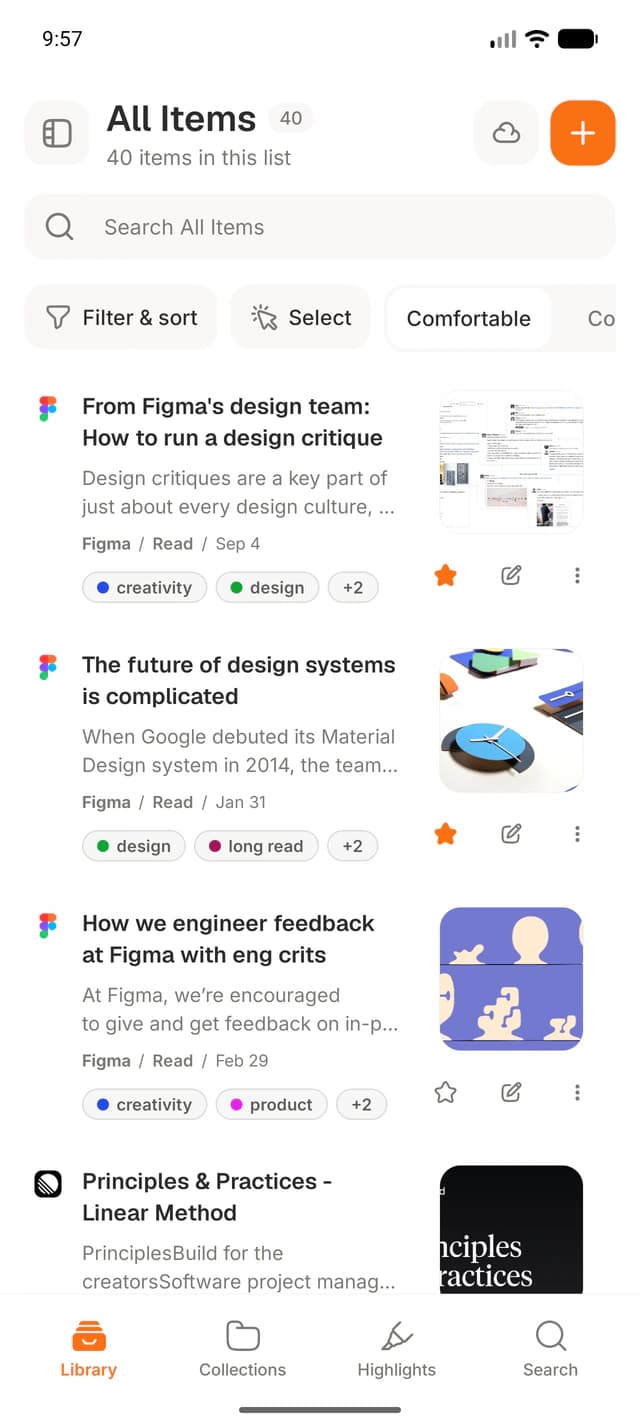
Your library in a mobile reading experience
Browse the same items, collections, tags, highlights, and notes you use on Windows. The Android reader is designed for saved material rather than an endless recommendation feed.
The app keeps an account-scoped local database so material already available on the device remains useful without a connection. New changes synchronize after the device reconnects.
- Offline access to available saved material
- Reading progress, read state, and highlights
- Search, collections, tags, and saved organization
Capture from the Android share sheet
Share a link, selected text, note, or supported video URL to Stowspace from another Android app. The item enters your account library and synchronizes to Windows through Connected.
Capture remains deliberate: Stowspace receives what you choose to share. It does not monitor other applications or collect a device-wide browsing history.
Built around Connected
The Android companion requires an active Connected plan because its library is account-scoped and depends on the sync service. Connected includes 10 GB of cloud archive storage and 200 hosted AI credits each month.
If the subscription ends, Android and connected services pause. The local Windows library remains available, including its backup and export tools.
Common questions
Clear answers before you start.
- Which Android versions are supported?
- The companion app supports Android 8 or newer.
- Can Android work offline?
- Yes. Available library data is kept locally for offline reading, and changes synchronize when the device reconnects.
- Is Connected required?
- Yes. Android is an account-scoped companion and requires Connected for library synchronization and access.